Renaming book files
Files downloaded from the internet arrive with names like
1234567.fb2 or book(2).epub. Once the books are
catalogued, All My Books knows what they actually are and can rename the files on
disk to match — and it updates the links in the collection as it goes, so
nothing is lost.
- Choose .
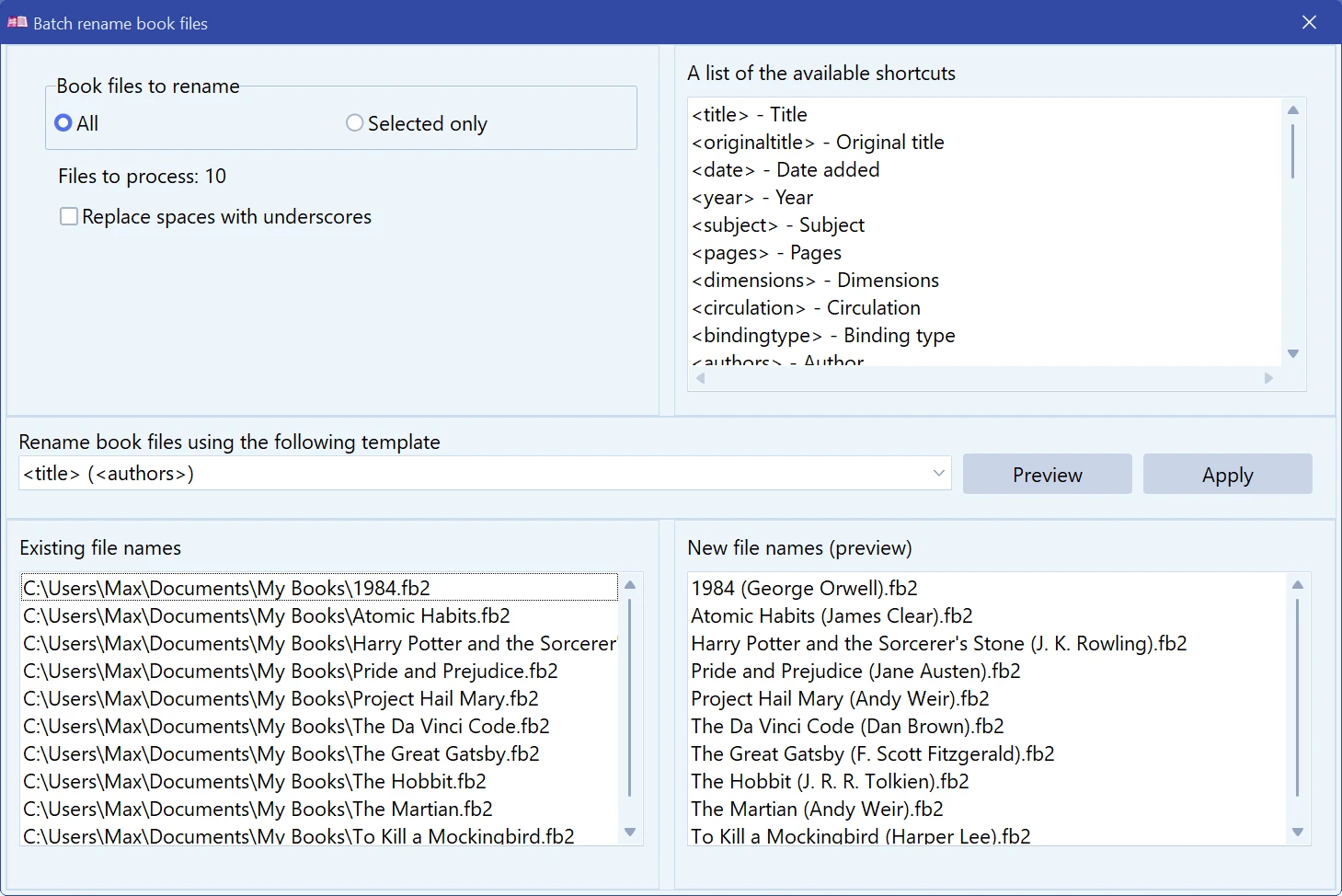
- Under Book files to rename pick All or Selected only — the latter works on the books you highlighted in the list before opening the dialog. The dialog shows how many files that comes to.
- Type a template into Rename book files using the following template.
- Click Preview. The two lists show the current names on the left and the proposed names on the right.
- When the preview looks right, click Apply.
Template placeholders
Anything in angle brackets is replaced by the value from the book card; everything else is copied literally. The extension is kept.
| Placeholder | Value |
|---|---|
| <title>, <originaltitle> | Title and original title |
| <authors>, <translators>, <editors>, <illustrators> | People from the card |
| <series>, <volume> | Series and volume number |
| <year>, <publisher>, <language>, <pages>, <ISBN> | Edition details |
| <subject>, <bindingtype>, <dimensions>, <circulation> | Classification and format |
| <rating>, <myrating>, <personalmarks>, <wishlist>, <unread> | Ratings and marks |
| <booknum>, <price>, <location>, <filesize>, <playtime> | Your copy |
| <date>, <dateread> | Date added, date read |
| <loc>, <dewey> | Library classifications |
| <ud_name> | One of your own custom fields |
The full list, including the custom fields of the current collection, is shown in the dialog under A list of the available shortcuts.
A template like
<authors> - <series> <volume> - <title>
turns a folder of numbered files into something you can read in Explorer. Replace spaces with underscores is there for readers and file systems that dislike spaces.
Renaming touches real files on disk. Look at the preview before applying, and remember that undoing it means renaming everything back.
See also Copying books to a device for getting the files onto a reader.
Free to try. Catalog up to 100 books at no cost, forever.