Introduction
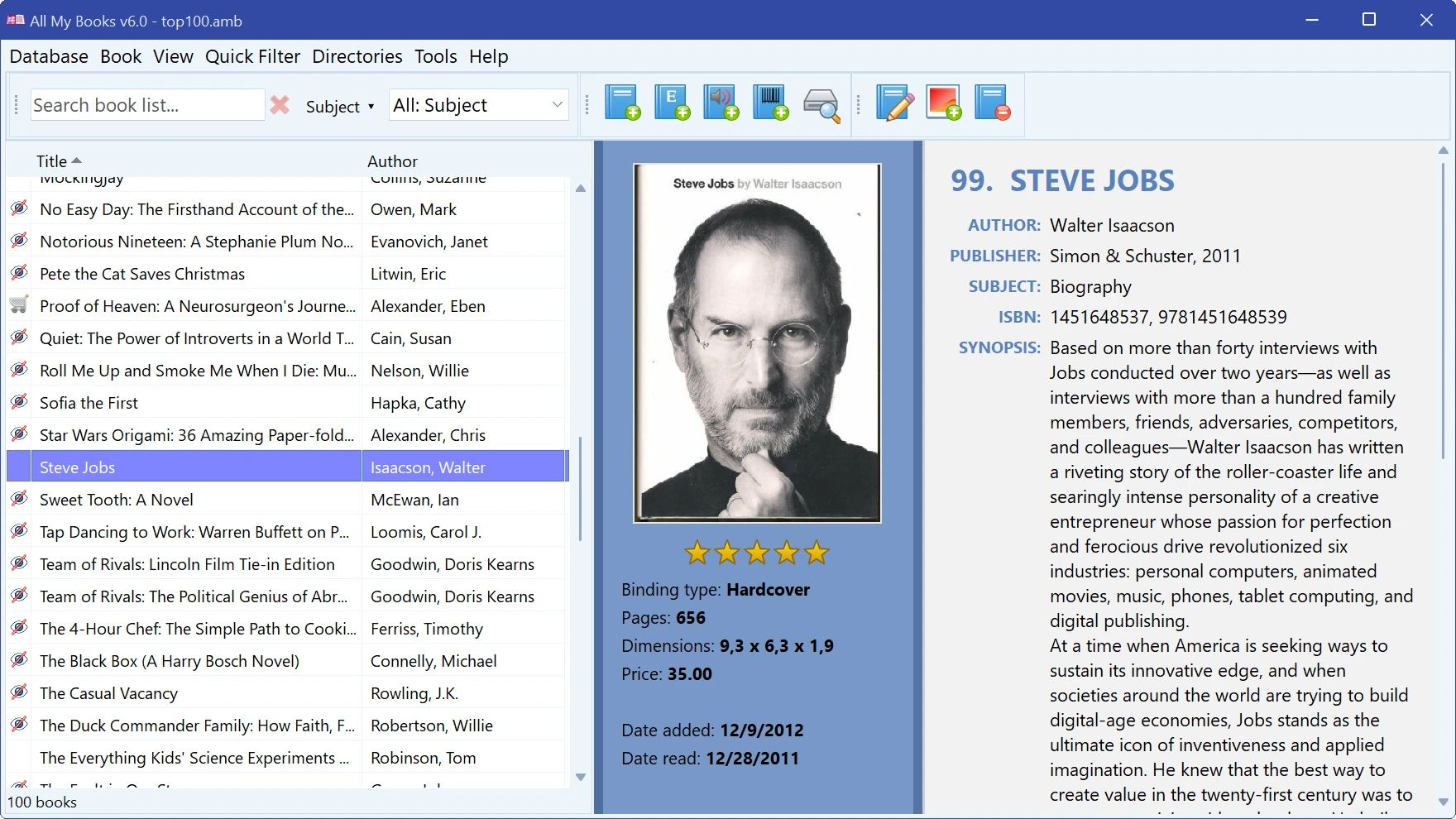
All My Books is a cataloging program for Windows. It holds one collection per file and remembers, for every book, everything you would otherwise keep in your head: who wrote it, which edition you own, where it sits, whether you have read it, what you paid, and who borrowed it and when.
What you can catalog
| Printed books | Add them by title, author or ISBN and let the program download the description, cover and publication details. With a barcode scanner or a webcam a shelf goes in at a few seconds per book. See Adding a book automatically and Adding a book by ISBN or barcode. |
|---|---|
| E-books | PDF, FB2, FB3, EPUB, MOBI, AZW/AZW2/AZW3, PRC, PDB, LIT, LRF, LRX, DJVU, RB, DOC, DOCX, TXT, CHM and zipped variants. The card keeps a link to the file, so the book opens in your reader straight from All My Books. See Adding an e-book. |
| Audiobooks | MP3, OGG, WMA, AAC, M4A, M4B, MP4 and Audible AA/AAX. Tags and playing time are read from the files; a folder of tracks becomes one entry. See Adding an audiobook. |
Where the data comes from
Six online sources are built in — Goodreads.com, Google Books, ISBNdb.com, OpenLibrary.org, Chitai-gorod.ru and MyBookList.ru — and plug-ins can add more. A lookup fills in title, original title, authors, publisher, year, ISBN, rating, synopsis and cover in one step. Author cards can pull a biography and photo from Wikipedia / Wikidata and OpenLibrary.
What you get back out
- Six ways to look at the collection: list, cover thumbnails, cover flow, virtual shelf, grouped tree, and the book card itself in any of 13 card templates or in a template of your own.
- Search over every field, saved advanced filters, one-click filters for unread, wishlist, loaned and overdue books.
- A loan manager that remembers who has your books and reminds you when they are late.
- Printing and PDF through a dozen report templates, export to HTML, CHM, Excel and plain text, and transfer to the mobile app or straight to a reader.
- Statistics with charts over any field of the card.
How this guide is arranged
- Quick Start — the five-minute version.
- Database tasks — the collection file: creating, opening, importing, backups, passwords, network use.
- Book tasks — everything you do to a book.
- Preferences — appearance, language, online sources.
- Reference — menu-by-menu reference, keyboard shortcuts and licensing.
Note. Screenshots in this guide were taken with the light theme and the English interface. All My Books ships in 21 languages and has a dark theme — see Customizing the interface.
Free to try. Catalog up to 100 books at no cost, forever.