Ebook Catalog Software
Ebook catalog software is a searchable card file, not a pile of folders. You want the title, cover and series on screen, a way to find a book in seconds, and paper copies in the same list as EPUB and PDF.
All My Books is that catalog for Windows.
Scanning files and filling metadata is covered on the
ebook manager page.
Step-by-step folders:
how to organize ebooks.
This page is the catalog itself: search, views, print, paper + files together.
What an ebook catalog should do
- One list — ebooks, printed books and audiobooks in the same database.
- Find a title in seconds — search, filters, groups by author, series, genre or a custom field.
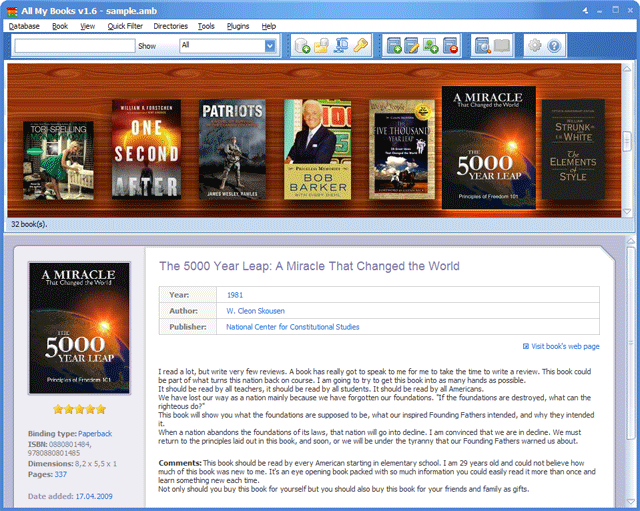
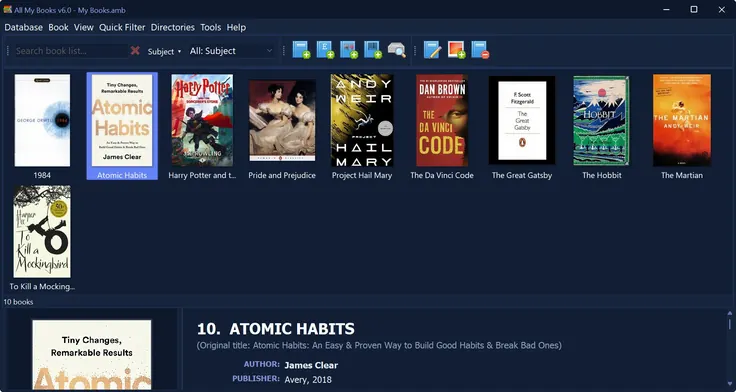
- See covers, not filenames — list view or a virtual bookshelf.
- Print and export — cards, cover albums, spine labels, HTML, Excel, PDF.
- Share on the home network — one catalog on more than one PC.
- Loans and a reading log — who borrowed a paper copy; what you have already read.
Catalog vs manager vs how-to
Views: list or shelf
Browse as a compact list when you are hunting a title. Switch to the virtual bookshelf when you want covers.
Flags, custom fields and skins stay on the same cards either way.
Print the catalog
Fifteen ready-made layouts: compact lists, cover albums, cards, spine labels.
Export the same catalog to a web page, Excel or PDF if you want it off the PC.
FAQ
Is ebook catalog software the same as an ebook manager?
Same program, different question. Catalog = the card file you search and print. Manager = how files get into that file (scan, metadata). All My Books does both.
Can the catalog include paper books?
Yes. Add a printed book by title or ISBN. One search covers the shelf and the hard drive.
Do I have to move ebook files into a new folder?
No. The catalog is an index. Files stay where they are. See the ebook manager page for the scan.
Is there a free trial?
Yes. The first 30 days are unrestricted. After that the program stays free for up to 100 books.
Start the catalog
Download All My Books, add a handful of titles you already own, and try search and the shelf view.
If that is faster than opening Explorer, you have a catalog.
Download Your Copy Now
Related:
cataloging e-books,
ebook manager software.
What our customers say
Very good program"I am a new user of All My Books, I have only been using it for a few months but the things I like about it are1. The ease with which I was able to take my MS Access database and export the data to Excel in order to import into All My Books
2. The ease in adding new books through the online services
3. The visual appeal of the virtual shelf (although I would like to be able to use it in conjunction with my custom flags)
4. Now I do not have to manually add authors and the other relevant data"
Marie Thomas
Looking for ebook catalog software? One searchable catalog for EPUB, PDF and the books on your shelves.
Supported file formats:
E-books: PDF, EPUB, MOBI, AZW, AZW3, PRC, PDB, FB2, FB2.ZIP, FB3, DOC, DOCX, DjVu, LIT, LRF, LRX, RB, CHM, TXT
Audiobooks: MP3, M4B, M4A, AAC, OGG, OPUS, FLAC, WMA, AA, AAX
License Benefits:
- No 100-book limit
- Drive scan, Excel/CSV import and new databases after the first 30 days
- No reminder window, no trial banner
- Free updates and technical support
- The license key works instantly, no reinstall