Disks Got Expensive. Your Movies Can Get Slimmer

For years, running out of space was a simple problem: you bought another disk. A bigger one, for less money than the last. That habit stopped working. AI data centers now buy memory chips and drives by the trainload, manufacturers move their production to the expensive server products, and the rest of us pay the difference. SSD prices went up sharply in 2026, some popular models cost several times their old lows, and the shortage reached high-capacity hard drives too. Nobody promises it will be over soon.
So the cheapest gigabyte today is the one you already have. If your movie collection lives on a stack of external drives, it is a good moment to look at what actually fills them.
The usual way: delete duplicates
A collection that grew for years always has copies: the same film downloaded twice, a 720p and a 1080p version, a cut and an extended edition, a folder copied «just in case» to a second drive. Finding them by file names is hopeless, because the names are all different. Duplicate Video Search compares the videos by content, so it finds the same movie in another resolution, format or bitrate. It is the first thing to try, and on a big collection it often frees a whole disk.
We also wrote about how to organize a movie collection on hard drives: when the collection is cataloged, it is much easier to see what is stored twice and what is not needed at all.
The unobvious way: remove the tracks you never listen to
Open the properties of almost any downloaded movie and count the audio tracks. Original, two or three dubs, a director's commentary, a dozen subtitles. You listen to one or two of them. The rest just sit on the disk.
And they are not small. One 5.1 dub in AC3 at 448 kbit/s takes about 400 MB in a two-hour movie; a DTS track is three times that. Subtitles weigh almost nothing, but audio adds up fast. Two unneeded dubs in each of 500 movies is about 400 GB, almost half a terabyte of sound in languages you do not speak.
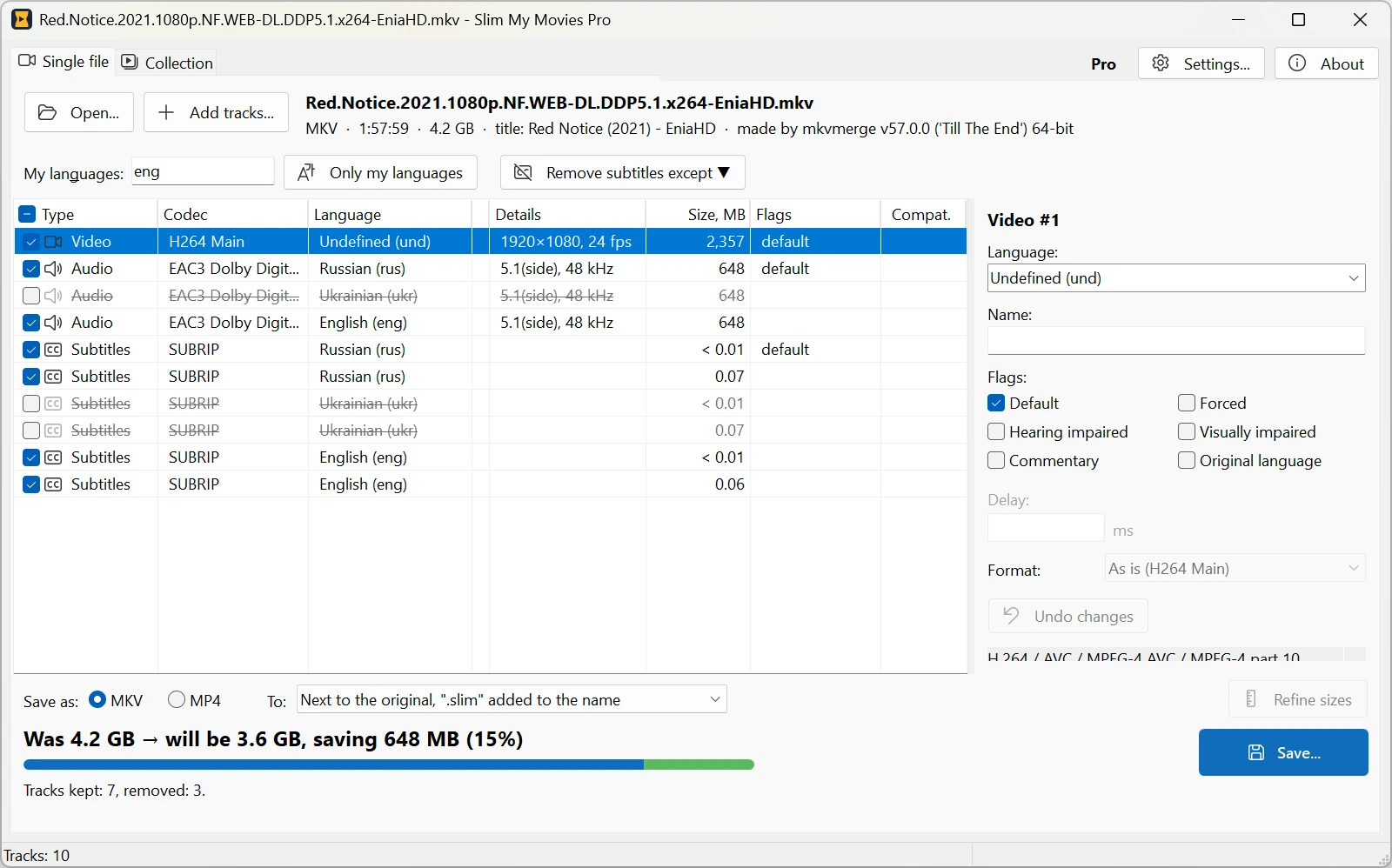
Removing those tracks used to be a job for command-line tools and patient people. That is why we made Slim My Movies.
Meet Slim My Movies
Slim My Movies is a new program for Windows that removes unwanted audio tracks and subtitles from MKV and MP4 files. The main thing about it: it never re-encodes video. The space comes only from the removed tracks; the picture and the tracks you keep are copied into the new file bit for bit. So there is no quality loss, the processor stays idle, and saving a movie takes about as long as copying it: a 2.4 GB movie is rebuilt and verified in about half a minute.
One movie
- Every track is listed with its language, codec, channels and size in MB, so you see at once what takes the space.
- Uncheck what you do not need, or keep only your languages in one click. The new file size is shown before you start.
- Fix wrong track languages and names, set the default and forced flags so the player picks the right track by itself.
- Add external audio and subtitles, take a track from another copy of the movie, shift audio or subtitles that are out of sync.
- Save as MKV or MP4.
The whole collection
Editing movies one by one is fine for a favorite film, not for an external drive full of them. In the collection mode you add folders, and the program reads every MKV and MP4 and counts how much space you will free, file by file, before anything is changed. The analysis is free, so you can find out what your drives would gain right now.
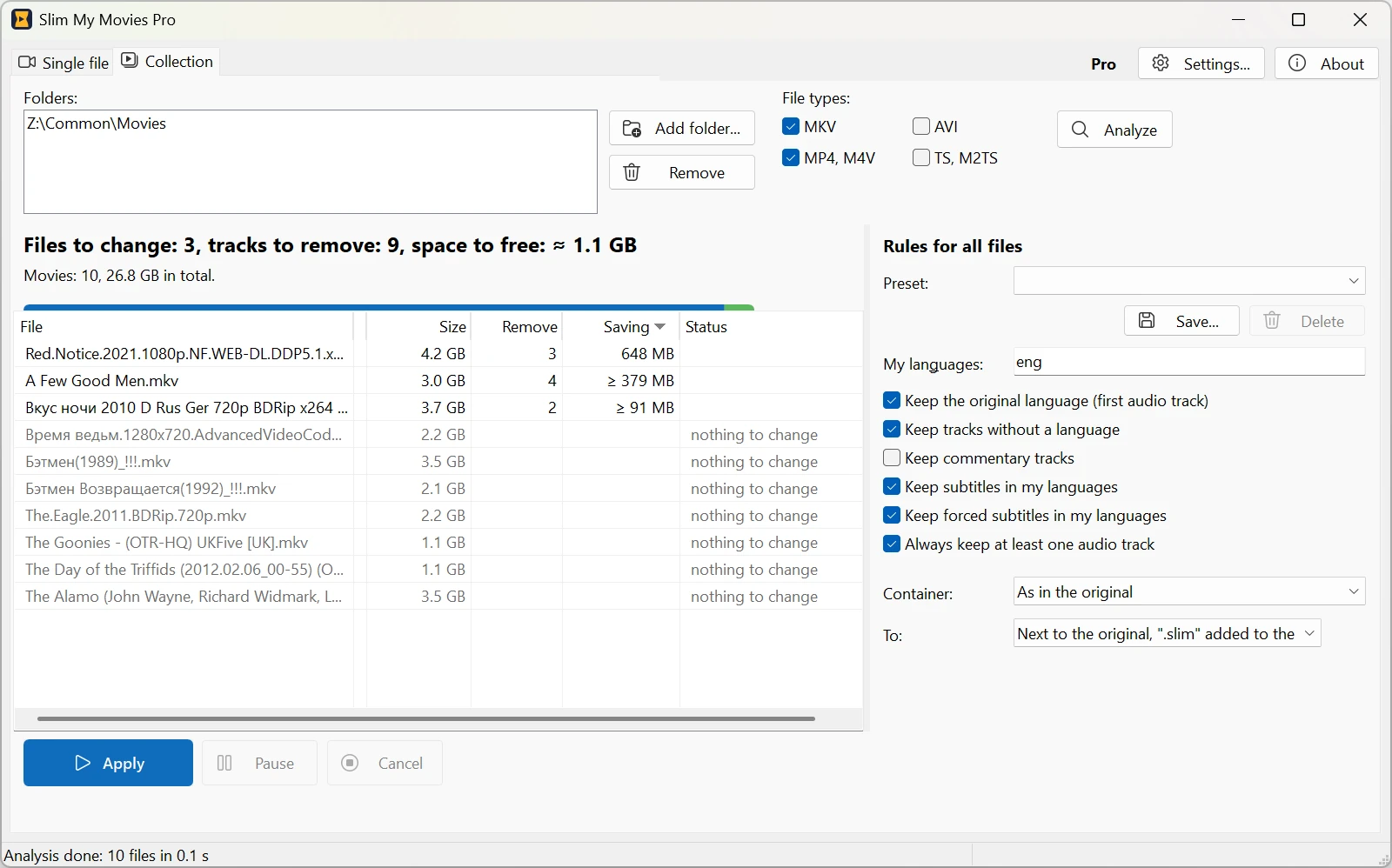
Then set the rules once: which languages to keep, what to do with commentaries, forced subtitles and tracks without a language. The original language of each movie is kept anyway. Save the rules as presets, say, one for foreign films and one for anime, and run hundreds of files in one queue that can be paused at any time.
Your originals are safe
By default the result is saved next to the original with «.slim» in the name. If you choose to replace the originals, each new file is checked first, and only then the old one goes to the Recycle Bin. Nothing is deleted for good.
Free and Pro
Editing single movies and analyzing a collection are free, with no time limit. The free version also applies the collection rules to five files a day, enough to see the result on your own movies. Slim My Movies Pro removes the limit and allows any number of presets for a one-time $19.95. Less than the price of one hard drive these days.
Before you buy another disk
- Remove duplicate movies with Duplicate Video Search.
- Run the free collection analysis in Slim My Movies and see how much space the extra tracks take.
- Keep your languages, drop the rest, and enjoy the free space.
Slim My Movies runs on Windows 10 and 11 (64-bit) and works with MKV and MP4 (M4V).
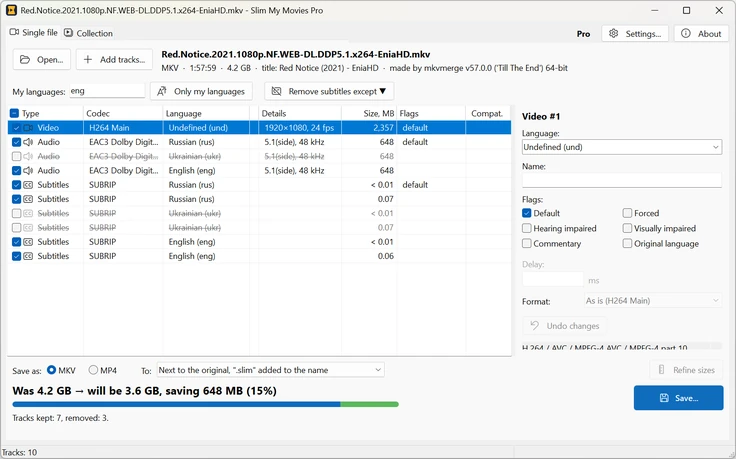
Slim My Movies 1.0 for Windows.