I love it!
"I have a fairly large collection of movies (around 600), and I needed some way of organizing them. Your product WELL exceeded my expectations. I love the way it is user friendly, and it addresses every facet of making a well rounded library. The outcome looks very impressive and professional. I like that I can put in my own movie number, and as I have number stickers to put on to each movie after I add it to the database. I had checked out other products, and not only were they much more expensive; they are not NEAR the quality that you get with your software. Thanks again for such a fine product!!!"
Carol Mitasky
Alternative to Movienizer. What Can Replace It?
If you were looking for a convenient and modern tool for managing your home video library, you've probably come across the program Movienizer. Today this is an abandoned project: no updates, no fixes for modern Windows, and technical support is gone. More and more users are looking for what can replace Movienizer.
The ideal replacement is the program All My Movies — a powerful and constantly evolving application for creating and managing movie, TV series, and media file collections. It offers more features, a user-friendly interface, and full compatibility with your existing collections created in Movienizer.
Movienizer vs All My Movies at a glance
| Feature | Movienizer | All My Movies |
|---|---|---|
| Active development & updates | Abandoned — no longer developed | Regular releases |
| Import existing Movienizer database | — | Menu: Database → Import collection from → Movienizer / Medianizer |
| Online movie databases (TMDB, etc.) | Limited / outdated | TMDB, TheTVDB, Kinopoisk and more |
| Play video from the catalog | Yes | Yes |
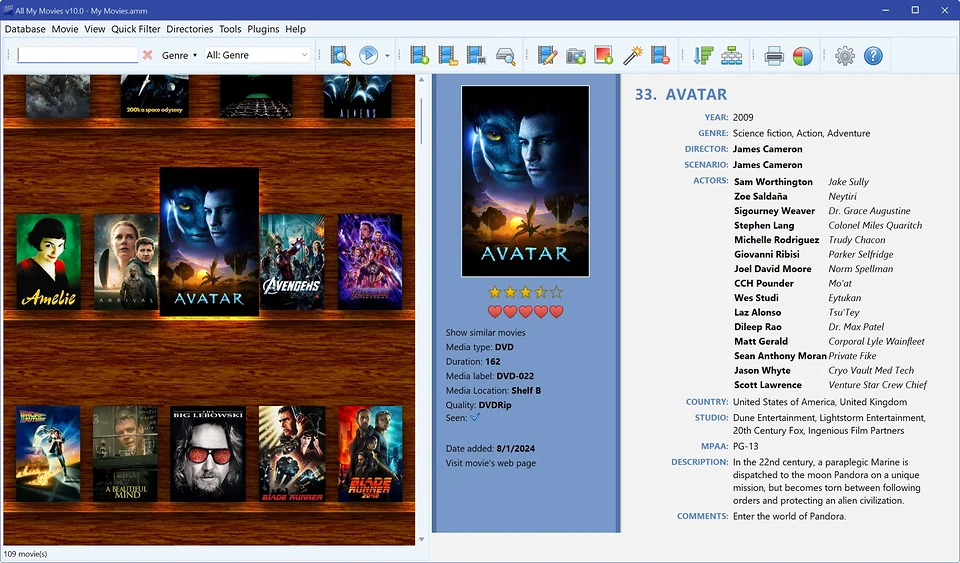
| Virtual shelf view | Yes | Customizable shelves |
| Loan / borrowed disc tracking | Varies | Built-in loan manager |
| Export to HTML, PDF, Excel | Limited | Multiple formats |
| Technical support | Inactive | Active support |
Why switch to All My Movies?
-
Movienizer Import Support
Already have a movie collection? No problem! All My Movies provides a special tool for easy and quick importing of data from Movienizer, including movies, metadata, ratings, notes, and even covers. Use menu Database → Import collection from → Movienizer / Medianizer....
The Movienizer database (.dmo, or .dmb for Medianizer) is a plain SQLite file. Its schema, with the traps that are not obvious from the tables, and an open-source Python exporter to CSV/JSON with covers are published in our media-catalog-formats repository, so you can inspect or export the data yourself before, or instead of, importing it.
-
Regular Updates and Support
The software is actively developed, compatibility with new OS versions is improved, bugs are fixed, and new features are added. You can always count on support assistance. Movienizer no longer has any of that: the project is abandoned.
-
User-Friendly Interface
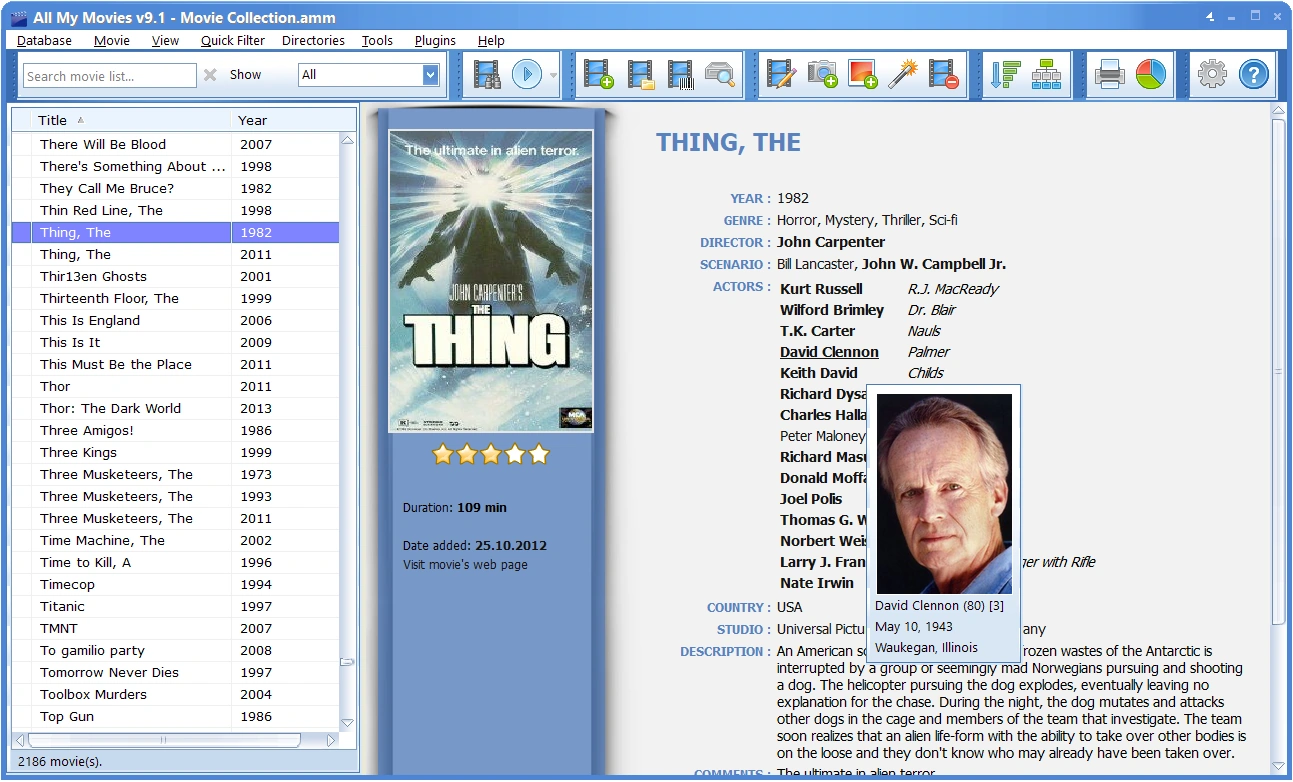
Even a beginner will quickly figure out the program's interface. Movies can be sorted by genres, years, directors, actors, TV series, and other parameters.
-
Works With Any Formats and Media Files
The program supports all popular video formats, and can store information about quality, audio, subtitles, and even disc contents.
Screenshot — movie list in All My Movies:
Virtual shelf view (similar to classic organizer apps):
In short, if you've encountered that Movienizer no longer meets the needs of a modern user — it's time to find an alternative. All My Movies is not just an alternative to Movienizer — it's a complete next-generation solution that ensures comfortable organization of your personal video library, reliability, and flexibility.
Cataloged books in Booknizer or Medianizer as well? See Booknizer vs All My Books — same abandoned Nizer family, same direct database import.
Download All My Movies Right Now and start managing your movie collection in a new way!
Our customer say
5 Reasons why should you use All My Movies as a software for organizing movies
- Detailed Movie & Actor Info. Stores key details—cast, crew, biographies, and more — so you always have the facts at hand.
- Fast & Easy Search. Find any movie or actor in seconds, without digging through folders or spreadsheets.
- Visual Library with Covers. Browse your collection using movie posters for quick, intuitive navigation.
- Track Borrowed Disks. Never lose a loaned DVD or Blu-ray again — keep records of who has what.
- Save Time & Effort.Stop wasting hours searching; manage your entire collection in one place.
No fluff — just a smarter way to organize your movies.