Great program
"Wow, I'm really impressed with All My Movies! All my DVD/Bluray discs are ripped onto my HTPC hard drive. I went to Tools and chose Scan Drive For Movies and all 129 movies were cataloged. It wasn't long before I figured out how to gather covers and all the info about all my movies; all done with the click of a mouse. This is a very visual pleasing, mouse friendly, program. I downloaded several programs, both free and not. This is heads and shoulders above the rest. One of the best things about All My Movies is that by double clicking on the picture of the movie it automatically launches the default media player and plays it. Everything else seemed pretty intuitive."
Mark James
Offline Movie Database
IMDb and TMDB are catalogs of every movie. An offline movie database is a catalog of yours: discs on the shelf, files on a hard drive, titles you have seen. It lives as a file on the computer, so you still have the collection if the site is down, the account is gone, or there is no Wi‑Fi.
All My Movies is that kind of database for Windows. When you add a title it can fill posters and credits from TMDB. After that you search, group, and browse the catalog on the PC — a database for movies offline.
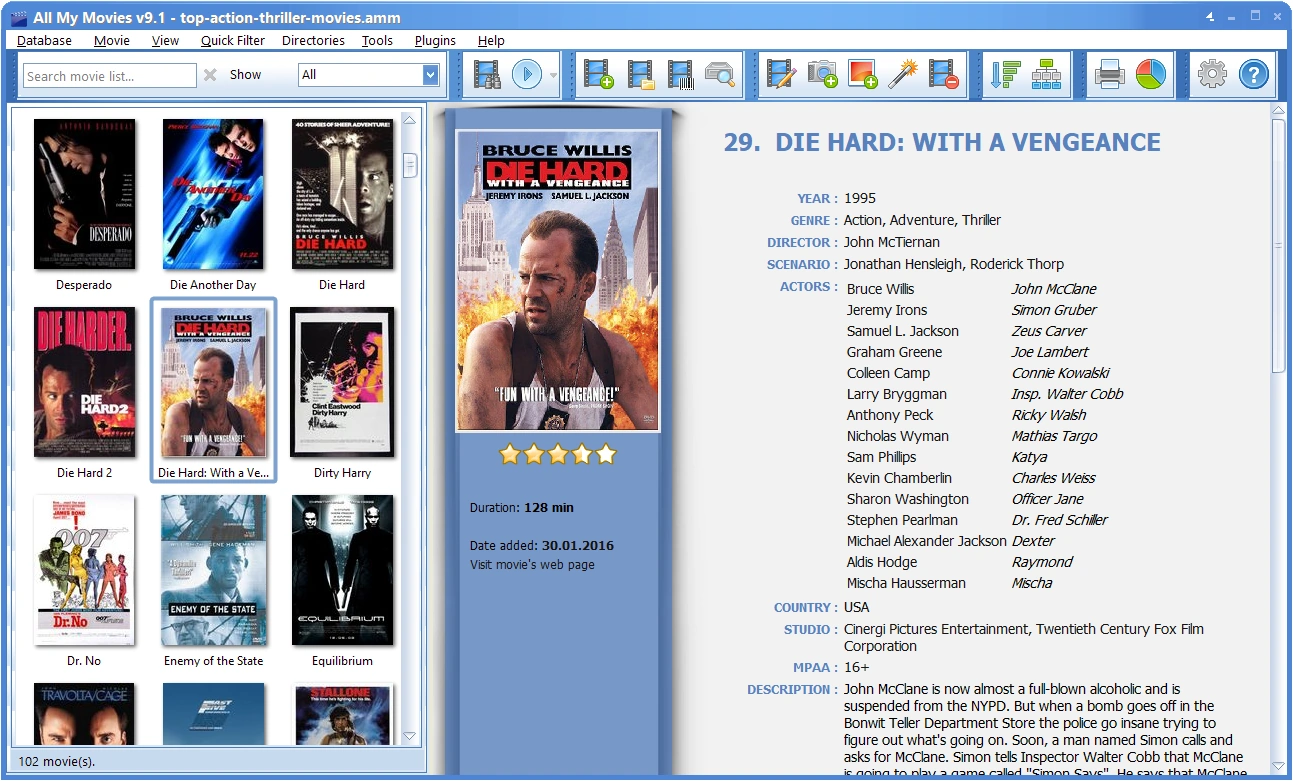
What “offline” actually means here
The collection is one .amm file. Movie cards, covers, people, loans, and notes sit inside it. Copy the file and you have copied the database. Internet is used when you look up a new title, not when you open yesterday’s catalog.
- Needs the network: first-time lookup from TMDB (or another source), downloading a larger poster, batch-updating details.
- Works without the network: open the file, search, group by genre or year, filter watched/unwatched, see who borrowed a disc, play a local video file, print or export.
Keep the file on a local disk, not inside OneDrive or Dropbox while the program has it open — a sync client that touches the file causes errors that look like corruption. Use the cloud for backup copies. Details: creating a database.
What you can do with the catalog
- Search by title, director, year, cast, genre, or synopsis — in your list, not the whole internet.
- Group the list (genre, year, first letter, director) so a large collection is a tree, not a dump.
- Click an actor on the movie card and see every title of theirs you own; click a genre to keep only that genre.
- Track loans: who has the disc, since when.
- Scan a drive of video files and link playback to the card. Organize movies on the hard drive.
- Export to HTML, Excel, PDF, or CHM when you want a copy outside the program. Export formats.
How to add a movie
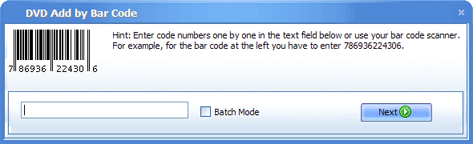
Most people type the title. If the disc still has a barcode, you can scan that instead. If you already have a spreadsheet or another catalog, import it rather than retyping.
1. Type the title or scan a barcode
 or
or
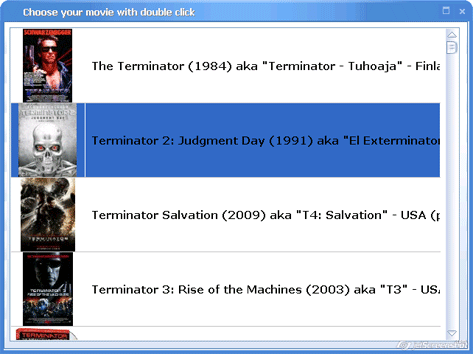
2. Pick the right title from the search results
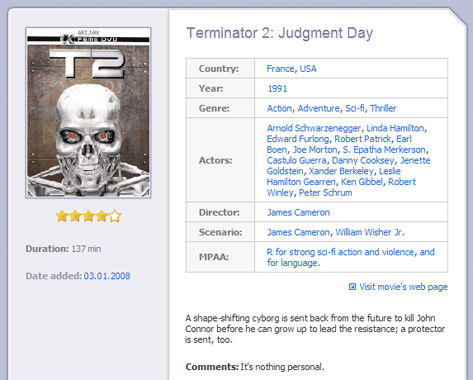
3. The card is in your database
Poster, cast, year, and plot are saved in the local file. You can add the next title the same way — a hundred discs in an evening is normal if you scan barcodes.
Offline database vs IMDb vs a spreadsheet
| IMDb / TMDB | Excel or a paper list | All My Movies | |
|---|---|---|---|
| Whose movies | The world’s catalog | Yours (titles you typed) | Yours, with posters and credits |
| Works without internet | No | Yes | Yes, after lookup |
| Search by actor or genre in your collection | Not your shelf | Painful | Built in |
| Who borrowed the disc | No | A column you maintain | Loan tracker |
| Play the file from the catalog | No | No | Yes, if the file is linked |
| You own the data | An account | A file | One .amm file on your disk |
FAQ
Do I need the internet to use an offline movie database?
Only when you look up a new title. Opening the catalog, searching, grouping, and playing local files work without a connection. That is the point of a database for movies offline versus using IMDb in a browser.
Is this the same as IMDb or The Movie Database (TMDB)?
No. IMDb and TMDB list films that exist. All My Movies lists films you own or have watched. It can copy details from TMDB into your local file so you do not type them.
Can I keep a movie list in Excel instead?
Yes, and you can import that sheet. Excel will not fetch posters, group by actor, or launch the video file. If the list is already in CSV or Excel, import it rather than starting over.
Where is the collection stored, and can I move it?
In one .amm file you choose. Copy it to another PC, open it with All My Movies, and the catalog is there — including covers. Use Database → Open to switch between several collections (for example discs vs files).
Is there a free version?
The trial is unlimited for 30 days. After that the program stays free with a limit of 100 movies in the database. Download All My Movies for Windows 7/8/10/11 from this site.
Full feature list and purchase options: All My Movies product page. Interface gallery: screenshots.
Our customer say
Windows program. Collection stored in a local file.
All My Movies v10.3 Build 1493