Barcodes will do it for you!
DVD and Blu-ray Barcodes
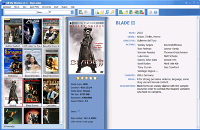
Do you want to get your movie collection organized and don't want to waste your time?
This short article will help you make your dream come true :)
Every commercial DVD and Blu-ray has a barcode (UPC or EAN) on the back of the box, and that number identifies the release. All My Movies turns it into a complete movie card — title, year, cover, cast and plot — in a few seconds, with no typing and no disc changes. For a shelf of discs this is the fastest way there is.
All you need besides the program is a way to read the number, and you probably have one already:
- A webcam. The one built into your laptop or sitting on top of your monitor will do. Hold the box up to the camera and the program reads the barcode by itself.
- A USB barcode scanner. Any model works: it behaves like a keyboard, so there is nothing to install or configure. Point, click, and the digits are in.
- Your fingers. The digits are printed under the bars, and you can also paste a whole list of numbers from the clipboard.
Scanning a Shelf
Start All My Movies and press F6 (or use the menu item "Movie - Add DVD/Blu-ray by Bar Code..."). With a scanner, just scan; to use the webcam, tick "Use webcam" and show the back of the box to the camera. In just a few seconds you will see the full movie details imported into your collection, including the cover image. Quick and easy!
Have a whole shelf to do? Tick "Batch Mode". Now scanning only adds the numbers to a list, so you can go through the shelf at your own pace, box after box. When you are done, press "Next" and the program looks all of them up in one run while you make yourself a cup of tea.
A tip for webcam users: cameras without autofocus find barcodes hard, because at the distance where the bars are large enough, a fixed-focus lens cannot focus. All My Movies tells you next to the camera name whether yours has autofocus. If it does not, hold the box a little further away so the camera sees the whole label.
What If the Barcode Is Unknown or Wrong?
The number goes to our online barcode catalog, which knows the title and year for a large number of releases; with those in hand, the program fills the card from your usual online movie database, so you get a normal movie card and not just a title. When a barcode is not in our catalog yet, it is looked up in a public product catalog, and the answer is kept for the next collector who scans the same box.
Barcode catalogs are built from what people submit, so they are not perfect. If the title that comes back is not what you are holding, click the button next to it and submit the correct title and release year. The correction goes back to the server — the next person to scan that box gets it right. And if nobody knows the number at all, the program asks you for the title and year straight away, and your answer is added to the catalog the same way.
Find a Disc by Its Barcode
When you lend your favorite movie to your best friend, you still want to keep track of it being lent out. Then you need to quickly locate this particular DVD in your collection of several hundred movies. Press F9 ("Tools - Barcode search") and scan the box: the program finds that disc in your collection instead of adding it again. Then press F12 to mark it as lent or returned in the built-in Loan Manager.
The same trick answers the question "do I already have this one?" — no more buying a movie twice.
That's all. Have fun with your barcode scanner :)
Our customer say
Best present"All My Movies is the best birthday present I've ever had! My friend is just in a rave I've got hundreds of movies in different formats and All My Movies could organize them all. Now I can play all movies right from the program - it's just fantastic!!! One more thing - before All My Movies I had to search on the Internet info about my favourite actors and directors - now it's just a miracle - the program does everything automatically within seconds!Just fancy! Cool!!! Thanks!"
Brian J. Dane