Some tips for All My Books usage in the network

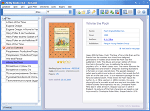
Starting with version 2.0 All My Books is able to work in the network. It means you can share your book database file in your local network and open it from several computers simultaneously. Here are some points for better understanding how the network mode works.
(installation file for Windows Vista/7/8/10/11)
1. You can add new books from the several computers simultaneously, but you can't see the new books added from other computers until you reopen the database. We have added a special key shortcut CTRL-ALT-R for a quick database refresh. So, press CTRL-ALT-R keys to see all the changes made from other computers.
2. When the same book is edited from several computers at once, the database will keep only those changes that were made the latest. In this case, you won't be notified about the collision.
3. When you try to edit a book record that was just deleted from another computer, your changes will not be saved and you'll get a warning message.
4. By default, the database will be opened in full (i.e. read and edit) access mode from every computer in your network. It is possible to set the password for the database changes in the Preferences (menu item Tools-Preferences), "Expert options" tab. With this protection enabled, your database will be opened in read-only mode. You can protect your database from unauthorized changes in that way.
To share the database in your network, just place the database file to some network shared folder. You can use menu item "Database-Backup..." for placing the database file in the folder selected.
Paid Version Benefits:
- FREE technical support
- FREE minor version updates
- No time limits
- No nag screens
- No feature limits